Everything you need to know about building and managing your Electronic Press Kit (EPK)
Getting Started
An Electronic Press Kit is a digital portfolio that contains all the essential information about an artist, band, or performer. It typically includes bio, photos, music samples, videos, press coverage, and contact information: everything media outlets, venues, and industry professionals need to know about you.
Yes, our service is free. We have been offering free EPKs for over seven years. You only need to pay if you choose to upgrade to a Pro account ($6.50 per month) for access to premium features like custom domains, video, events, and analytics.
Nope! EPK Builder is 100% web-based. Just sign in and start building.
Our platform is specifically designed for musicians and performers. Unlike generic website builders, we provide music-industry-specific templates, built-in audio and video players, press kit formatting, and features tailored for promoting your music career.
There is no separate sign-up form. Click Sign in in the header and sign in with Google or with a secure magic link sent to your email. If you have not used that email before, your account is created automatically.
Sign up, then choose Add a new EPK from your dashboard. Pick a template, replace the placeholder content with your own text, photos, and music, then press Publish. Your EPK goes live at its own epkbuilder.com web address, and you can keep editing it whenever you like.
Yes. Choose a Manager plan for 2 to 50 EPKs in one account. Each EPK gets its own web address and is published separately, and every included EPK has all Pro features. The per-EPK price falls as your quantity increases.
There is no time-limited trial. Instead, the free plan is free forever, so you can build and publish a complete EPK before deciding to upgrade. If you upgrade and Pro is not right for you, contact us within 7 days of your first payment for a full refund.
We do not offer a done-for-you service, but you can be up and running in minutes. Pick a template, replace the placeholder text and photos with your own, add a song and your contact details, then publish. You can keep improving it over time. Browse the example EPKs for inspiration.
The hero image is the large image at the top of your EPK, usually behind or below your name. It is the first thing visitors see, so use a strong, high-quality photo with the main subject in the centre.
Account & Login
Use the password reset link on the sign-in page, or sign in with a magic link instead, which emails you a one-time login link with no password needed. Also check you are signing in the same way you registered: signing in with Google and signing in with an email link open different accounts, even for the same email address.
The most common cause is signing in with a different method than you registered with (Google versus email magic link), which opens a different account. If your EPK was created before April 2025, it lives on our previous platform at app.epkbuilder.com. If you still can't find it, contact support and we will locate it for you.
If your EPK was created before April 15, 2025, you can edit it by logging into app.epkbuilder.com.
You can still access and edit your old EPK on the previous platform at app.epkbuilder.com. However, to get the new features, your EPK would need to be transferred to the updated builder platform, which would take about a day. Contact support and we will transfer it for you.
Currently, we do not support email changes. We recommend creating a new account with your preferred email address, then contacting support so we can move your EPKs across.
Yes. On your dashboard, open Manage Editors on your EPK's card and invite a collaborator by email. They can edit the EPK with you, while billing and account settings stay under your control.
Go to your Account page, open the Settings tab, and choose Delete account. This is irreversible: all your EPKs will be archived and your account permanently deleted. If you prefer, contact support and we can do it for you.
Check your spam or junk folder first. Some providers, iCloud in particular, can delay or block these emails. If it still has not arrived after a few minutes, sign in with Google instead, or use a different email address.
EPKs made before April 2025 live on our previous platform: sign in at app.epkbuilder.com to edit them. If you have rebuilt your EPK on the new platform and your old link is printed on merch or QR codes, contact support with both links and we can redirect the old address to the new one.
Subscription & Billing
Professional costs $6.50 per month or $65 per year, which gives you two months free. It includes one EPK and every Pro feature. You can cancel anytime.
Manager includes every Professional feature for multiple EPKs in one account. Choose between 2 and 50 EPKs. The per-EPK price falls as your quantity increases, and annual billing gives you two months free. Contact us for custom pricing above 50 EPKs.
Paid plans unlock custom domains, video uploads and YouTube/Vimeo embeds, an events section for tour dates, page analytics, password protection, all templates and themes, custom fonts and colors, up to 30 sections, 100 photos and 15 songs per EPK, and a press gallery with high-res downloads.
Yes, your subscription will automatically renew unless you cancel it. You can manage your subscription on the Account page.
Go to your Account page and open the Subscriptions tab to cancel with one click. If you would like us to delete your account and data as well, contact support and we can assist.
You keep your paid features until the end of the billing period you have already paid for, and you will not be charged again. Your EPKs stay online, but paid features such as custom domains, video, events, analytics and password protection are turned off. Your content remains available if you upgrade again.
Both are on your Account page: manage your payment method from the Subscriptions tab, and download past invoices from the Receipts tab.
Contact us through the chat widget or contact form and we will sort it out. Note that if a subscription payment fails, paid features such as custom domains are paused until the payment succeeds, then everything switches back on automatically.
Paid plans are digital services that start as soon as you pay. If you are not happy, contact us within 7 days of your first payment and we will refund it in full. After that, payments are not refunded, but you can cancel at any time. Duplicate charges and billing errors are always refunded.
You can choose either. Annual Professional and Manager plans cost the equivalent of 10 monthly payments, giving you two months free. You can change your plan from the Account page.
Deleting an EPK does not cancel your subscription. Go to your Account page and cancel from the Subscriptions tab first. If you cannot sign in any more, contact us with the email address you signed up with, or the last four digits of the card, and we will cancel it and refund any charges made after you tried to cancel.
This almost always means a subscription payment failed, for example because a card expired. Update your payment method from the Subscriptions tab on your Account page. Once the payment goes through, your paid features switch back on automatically. Your content is not deleted in the meantime.
Building Your EPK
Yes! You can preview your EPK at any time to see how it looks on desktop and mobile before anything goes live.
Yes. Every EPK is fully responsive and works on phones, tablets, and desktops. The editor includes a mobile preview so you can check exactly how it looks on smaller screens.
In the editor, click the + button between sections to add a new one. You can start from a blank layout or pick a prebuilt section such as a bio, gallery, music player, events list, or contact form, then fill in your own content.
Click the section to select it, then use the bin icon on its toolbar to delete it. To reorder, drag sections up or down into the order you want.
Yes, the editor has undo and redo, so you can step back through your recent changes. As an extra safety net, your live EPK is only updated when you press Publish, so your last published version is untouched until then.
To start fresh, simply delete the existing sections in your EPK. Then, use the + button to add new sections and rebuild it as needed. You can also apply a different template at any time from the Templates option in the editor.
Free EPKs include up to 5 sections, 10 photos, and 1 uploaded song. Pro raises this to 30 sections, 100 photos, and 15 songs, plus up to 10 videos.
Yes. Add an Events component to any section to list shows with dates, venues, and ticket links. You can even paste a plain list of dates and we will format it for you. Events is a Pro feature.
Yes. Every EPK includes one free embed, such as a Spotify player. Pro unlocks unlimited embeds and adds YouTube, Vimeo, SoundCloud, Apple Music, and Bandcamp players, so promoters can press play without leaving your page.
Add a Social component to any section of your EPK, then paste the links to your profiles. Icons for each platform appear automatically.
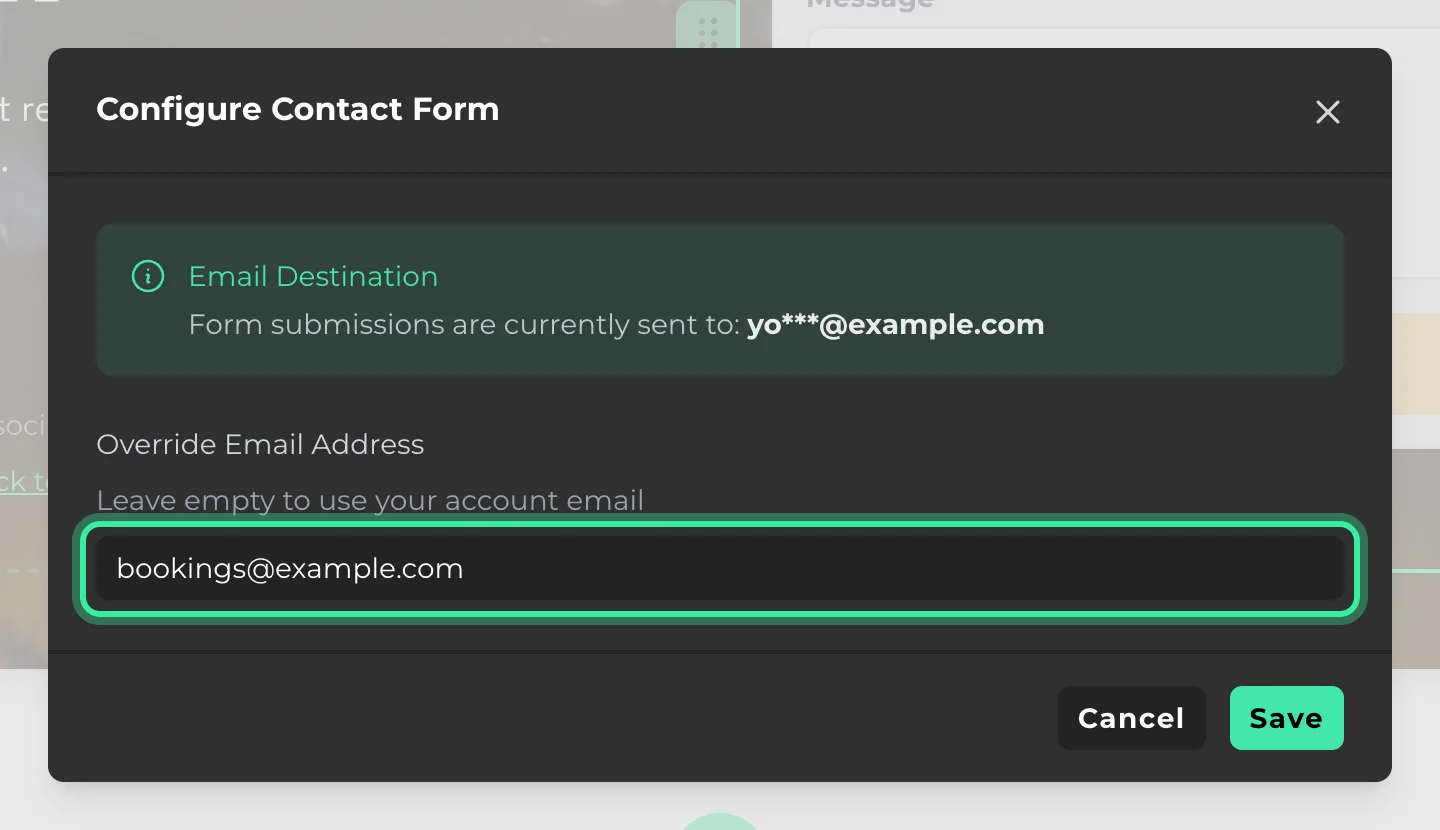
By default, contact form submissions go to your account email. To send them elsewhere, select your Contact component in the editor, open Configure Contact Form, and set an override email address.
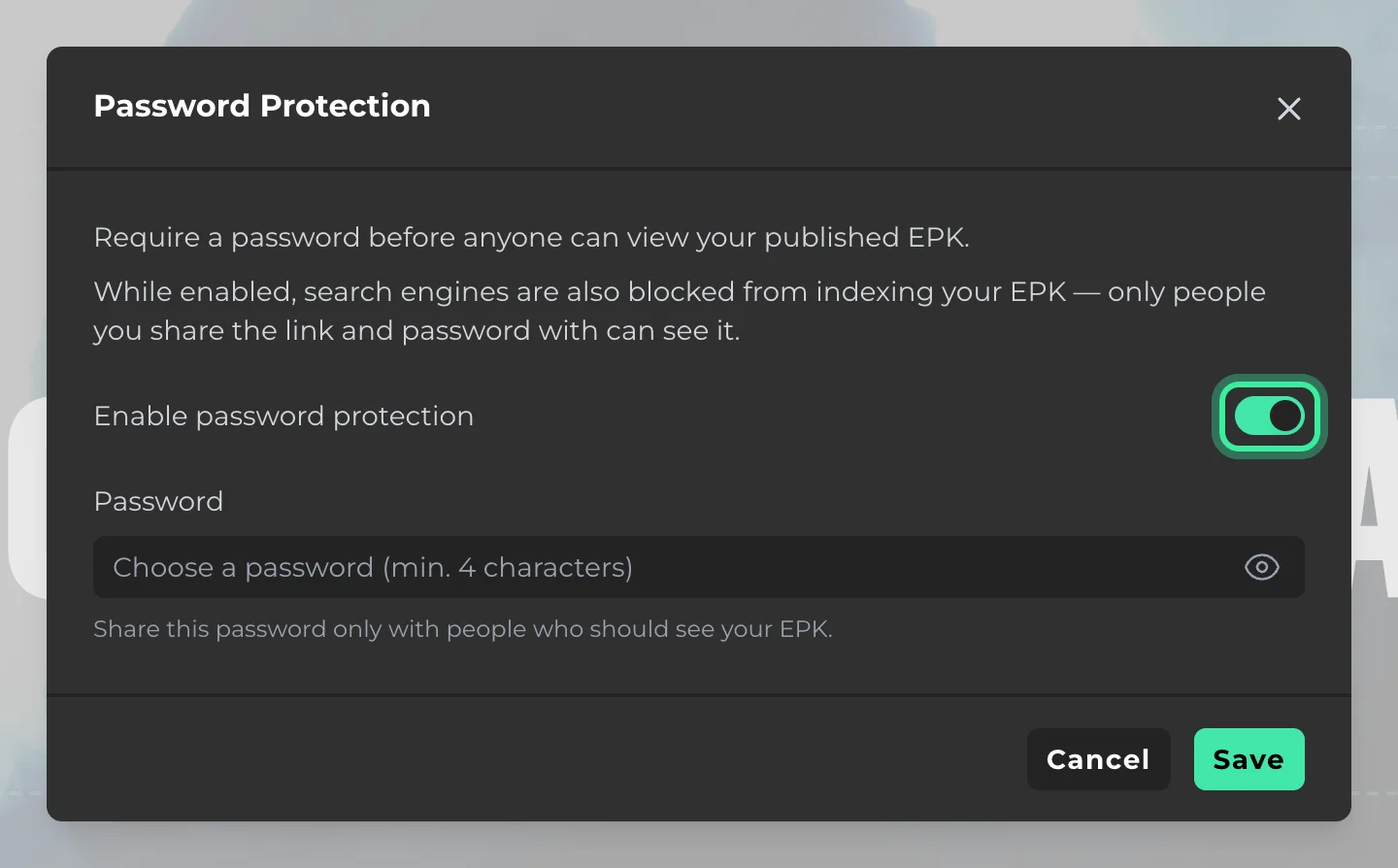
Yes, it's a Pro feature. In the editor, open Settings (the cog icon) then Password Protection, enable it, and choose a password. Once you publish, visitors see a password screen instead of your EPK, and search engines are blocked from indexing it. Share the link and password only with the people who should see it. You can turn it off again at any time from the same menu.
Messages from your contact form are emailed to the address you signed up with, unless you have set a different address in the Contact component settings. They are not stored in a separate inbox, so check your email and spam folder.
Check your spam or junk folder first. Some email providers, iCloud in particular, can block these messages. If that is the case, select your Contact component, open Configure Contact Form and send messages to a different address, such as a Gmail account.
Yes. Select your header section, delete the text block that shows your name, then click Add component in the empty space and choose Image. Upload your logo there. A PNG with a transparent background looks best.
There is no cropping tool yet, so for exact framing crop the photo before uploading it. Select an image and open its settings to choose how it fills its space (Cover or Contain), its aspect ratio, and whether it is anchored to the left, centre or right. Section background images have more options, including top, bottom and corner positions, in the section Background settings.
Your EPK uses the same content on every device and automatically adapts to the screen size. In the editor you can switch to mobile view to check how it looks and change the order blocks appear in on phones.
You can write your EPK in any language. There is no built-in language switcher and right-to-left languages are not fully supported yet. If you need versions in two languages, create a separate EPK for each one.
PDFs cannot be shown on your EPK directly. Upload the file to Google Drive, Dropbox or similar, set it so anyone with the link can view it, then add that link to a text block on your EPK.
In any text block, highlight the words you want to link, choose the link option in the toolbar and paste the full web address, starting with https://.
Music, Photos & Video
Images: common formats such as JPG, PNG and WebP, up to 10MB each. Audio: MP3, WAV and M4A, up to 20MB per song. Video (Pro): common video formats up to 200MB and 30 seconds per clip, automatically compressed for fast loading. Apple HEIC photos are not supported by most browsers, so please convert them to JPG first.
With Pro you have two options: upload a short video clip (up to 30 seconds, ideal as a background or highlight), or add a YouTube or Vimeo component and paste the video link. Embedded videos can be any length.
If your audio file is very large, it may take longer to load. To fix this, try compressing the file. We recommend using the MP3 format and keeping the file size under 5MB. When exporting or saving your audio, choose a bitrate of 128 to 192 kbps: this keeps the quality good while reducing the file size so it loads faster for listeners.
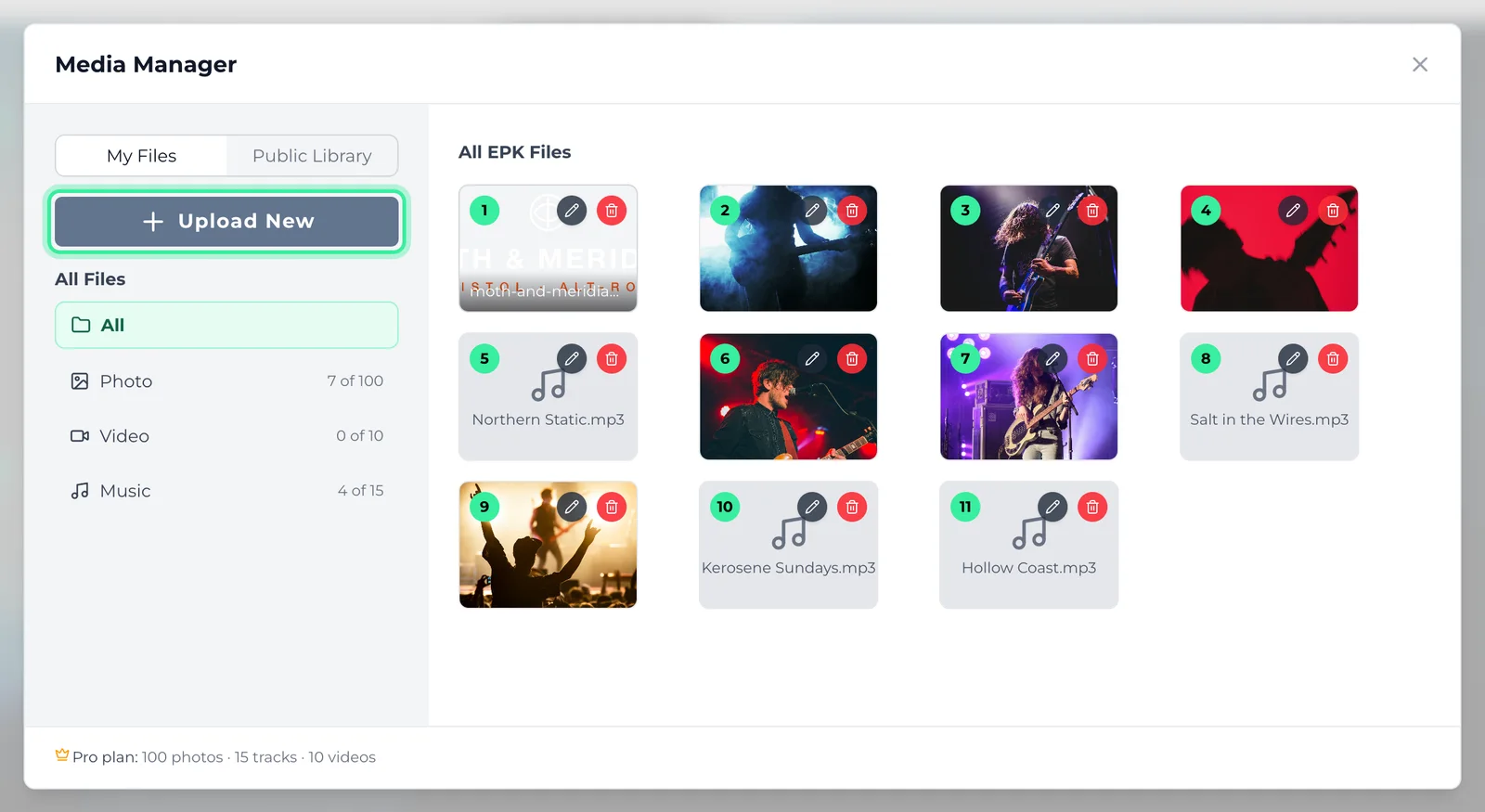
Use the Media Manager in the editor. Everything you upload lives there, so you can reuse a file in multiple sections, rename files to stay organized, and delete ones you no longer need.
For your header or hero image, use a landscape photo around 1920×1080 pixels (16:9) with the main subject in the centre, because the edges may be cropped on phones. For other images, at least 1200 pixels wide works well. Use JPG or PNG and keep files under 10MB.
The most common cause is photos saved in Apple HEIC format, which many browsers cannot display. Convert them to JPG, or set your iPhone camera to Most Compatible, then upload them again.
Add a Spotify component, then paste a link to your track, album, playlist or artist profile. In Spotify, click the three dots, choose Share, then Copy link. You can also paste the embed code from Share, then Embed. Free EPKs include one embed and Pro unlocks unlimited embeds.
The YouTube component needs a link to a single video or a playlist, not to your channel. Open the video on YouTube, click Share and copy the link. To link to your channel, add it to your Social component instead.
On Pro EPKs, the Gallery component includes a press gallery where visitors can download your photos in high resolution, which is what journalists and promoters expect. There is no switch to turn it off. If there are photos you do not want downloaded, show them with Image components instead of a Gallery, or upload smaller versions.
Publishing, Privacy & Domains
Your EPK goes live at its own epkbuilder.com web address, which you can find and copy from your dashboard. Share it in emails, social media, and booking submissions. You can keep editing afterwards; nothing changes on the live page until you press Publish again.
The editor saves your work as a draft. Changes only appear on your live EPK after you press Publish. If you have published and still see the old version, do a hard refresh in your browser to clear its cached copy.
Once published, your EPK is a public web page and search engines may index it. To stay private, either keep your EPK unpublished (only people with the preview link can see it) or enable Password Protection, a Pro feature that also blocks search engines from indexing the page.
The safest option is to not publish until you're ready: the preview link is only found by people you share it with. If you need the page live but restricted, Pro's Password Protection hides it behind a password and blocks search engines.
Yes. Custom domains are a Pro feature. Open the custom domain page from your dashboard, enter the domain you own, and add the one DNS record we show you at your domain provider (such as GoDaddy or Namecheap). Verification and SSL certificates are handled automatically.
The most common cause is a failed subscription payment: Pro features, including custom domains, pause until the payment succeeds. Once it does, open your custom domain page from the dashboard and save the domain again to reconnect it. If DNS was changed at your provider, re-check the record matches what we show there.
Published EPKs include a small Created using EPK Builder credit in the footer.
Your EPK gets a professional, shareable URL that you can include in emails, social media, and submissions. With Pro you can connect your own domain for an even more professional link.
This usually means your login session has expired. Sign out, sign back in and try again. Your draft is saved, so nothing is lost. If it keeps happening, contact support with your EPK name.
The epkbuilder.com address is set when you create your EPK and cannot be changed afterwards. If it is misspelled, create a new EPK with the correct name. With Pro you can also connect your own domain, such as yourband.com, which replaces the epkbuilder.com address.
Deleted EPKs are archived for a while before they are removed for good, so the name stays reserved. Contact support with the EPK name and we can restore it or release the name so you can use it again.
Often, yes. Deleted EPKs are archived first rather than erased straight away. Contact support with the EPK name or link as soon as possible and we will try to restore it.
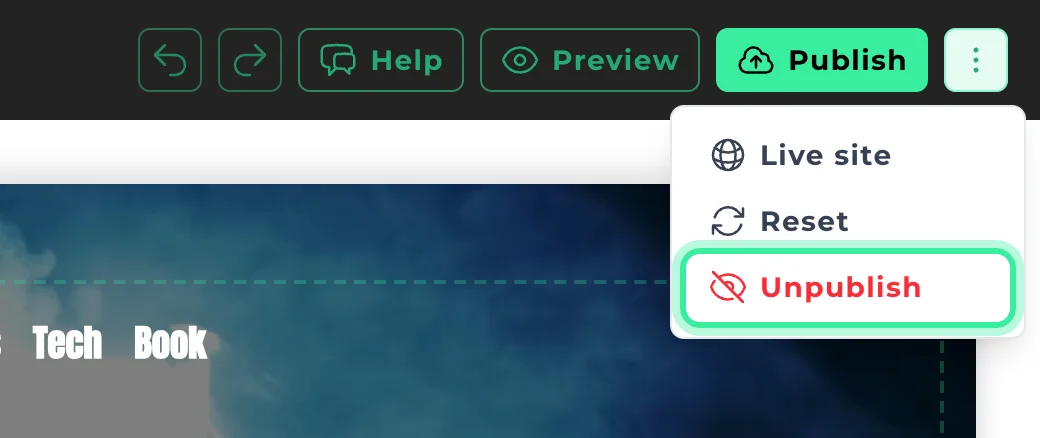
Yes. In the editor, click the three dots next to the Publish button and choose Unpublish. Your EPK is taken offline but your draft is kept, so you can publish it again whenever you are ready.
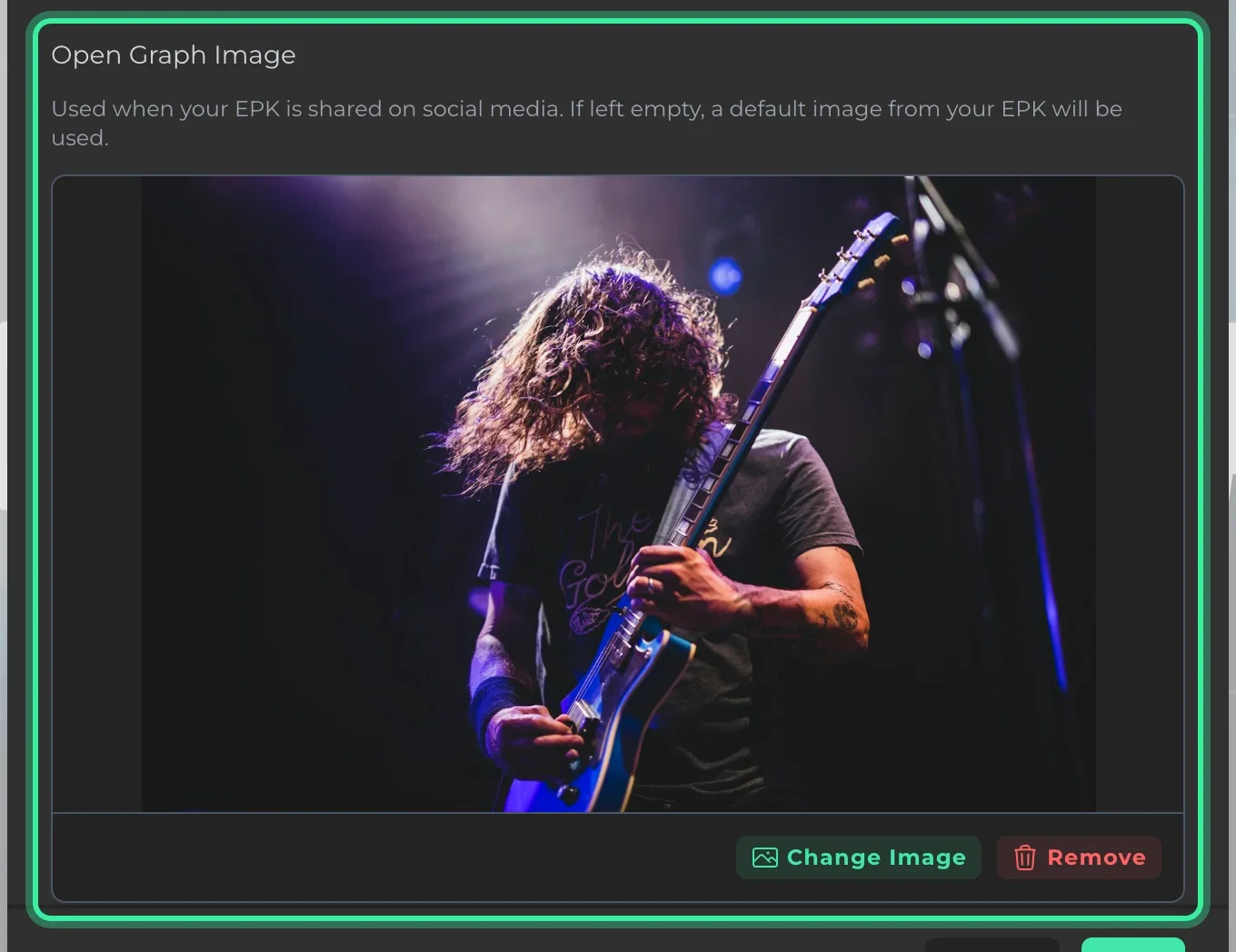
The link preview title comes from SEO Settings, not the heading on your page. In the editor, open Settings (the cog icon), then SEO, and replace the Meta Title with your band or artist name. Click Save, then Publish. You can also update the description and Open Graph image there. Social networks cache link previews, so the old template name may take a while to disappear on links you have already shared.
In the editor, open Settings (the cog icon), then SEO. Choose an Open Graph Image, and optionally edit the title and description, then publish. Social networks cache link previews, so it can take a while for the new image to appear on a link you have already shared.
We do not generate QR codes ourselves, but any free QR code generator will make one from your EPK link. It is a great way to put your EPK on flyers, posters and merch.
Yes. Add a button or menu item on your website that links to your EPK address. If you want the EPK on your own domain, Pro lets you connect a custom domain.
Analytics & Data
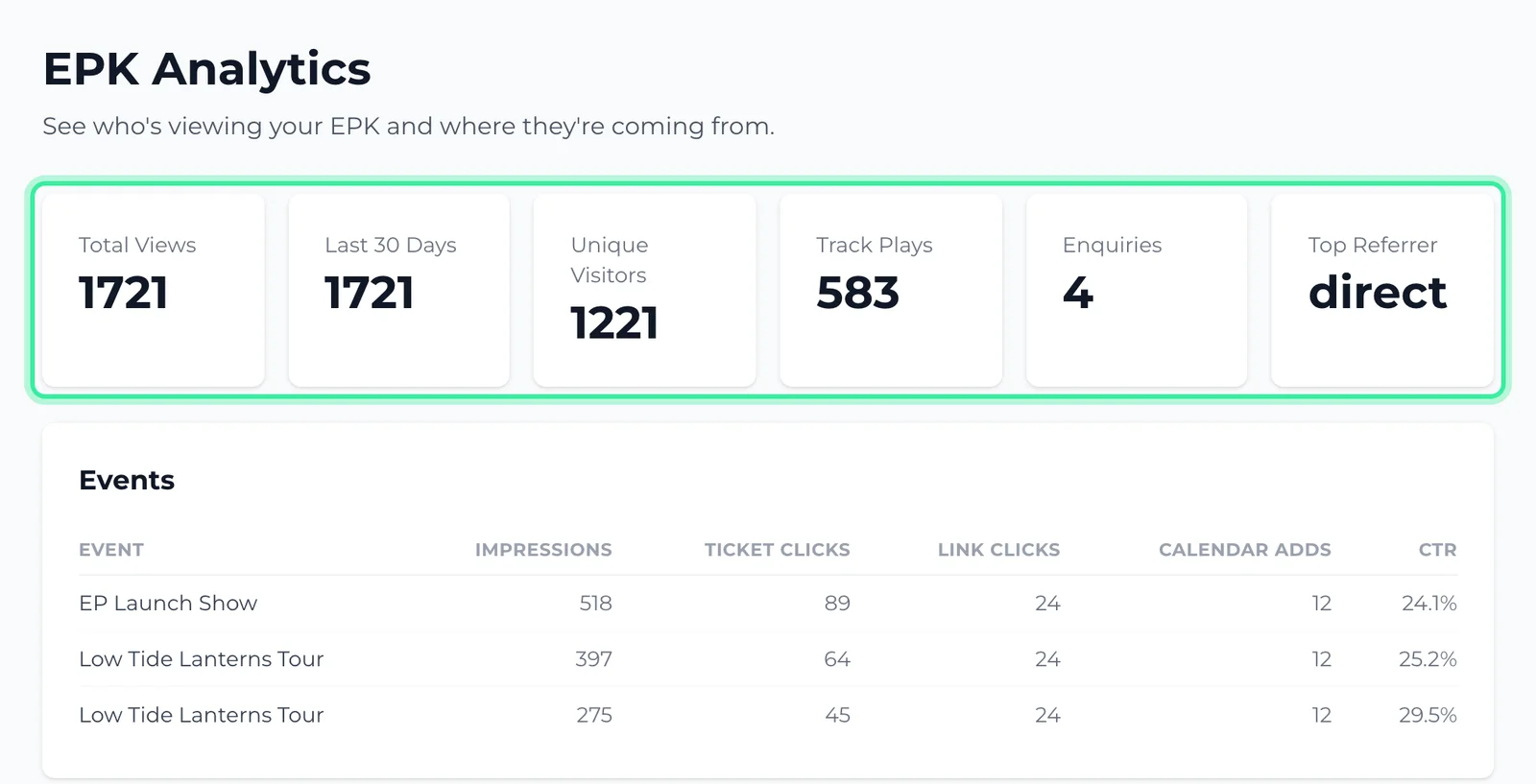
Yes. Built-in page analytics show visits over time, traffic sources, visitor countries, song plays, and event or ticket link clicks, with no tracking code to install. Analytics is a Pro feature: open it from your EPK's card on the dashboard.
Yes. We use standard security measures and perform daily backups to help keep your data safe and protected.
Not yet. Your EPK is a live web page, so it can include playable music, video and up-to-date information that a PDF cannot. If you need a file, use your browser's Print option and choose Save as PDF. Most promoters and venues are happy to receive the link in an email, and you can turn the link into a QR code for flyers and posters. PDF export is on our roadmap.
Contact & Support
Yes. We offer chat and email support for all users, with priority for Pro subscribers. We are a small team, so the chat is not always live: leave a message with your EPK name or link and we will reply, usually within one or two working days. You will get an email when we answer, so you do not need to keep the chat open.
No. Support is by chat and email only. Send us a message with your EPK name or link and a short description or screenshot of the problem, and we will get back to you.
Support is offered in English. You are welcome to write in another language and we will do our best, but replies may take longer.
Not at the moment, but we are open to partnerships. Send us a message telling us what you have in mind.
Still have questions?
We're here to support your music passion and career!